LiDAR scanning has become a popular way to capture building geometry during home energy audits. With a quick walkthrough, auditors can generate a 3D model of a home and begin analyzing building performance.
But as we started testing our platform with real energy auditors and retrofit professionals, we noticed a problem that wasn't being talked about enough:
LiDAR scans rarely capture the full picture.
In theory, LiDAR scanning should produce a complete digital representation of the home. In reality, many important building components are either missing, partially captured, or misinterpreted.
And for energy auditors, those missing details matter.
Why LiDAR Scanning Alone Isn't Enough
LiDAR scanning works well for capturing large surfaces and room geometry, but it often struggles with smaller or partially hidden building elements.
During our client testing, auditors reported several common issues:
1. Small Components Are Often Missed
Items like thermostats, vents, or chimneys may not appear clearly in scans. These components are essential for understanding HVAC systems and building performance.
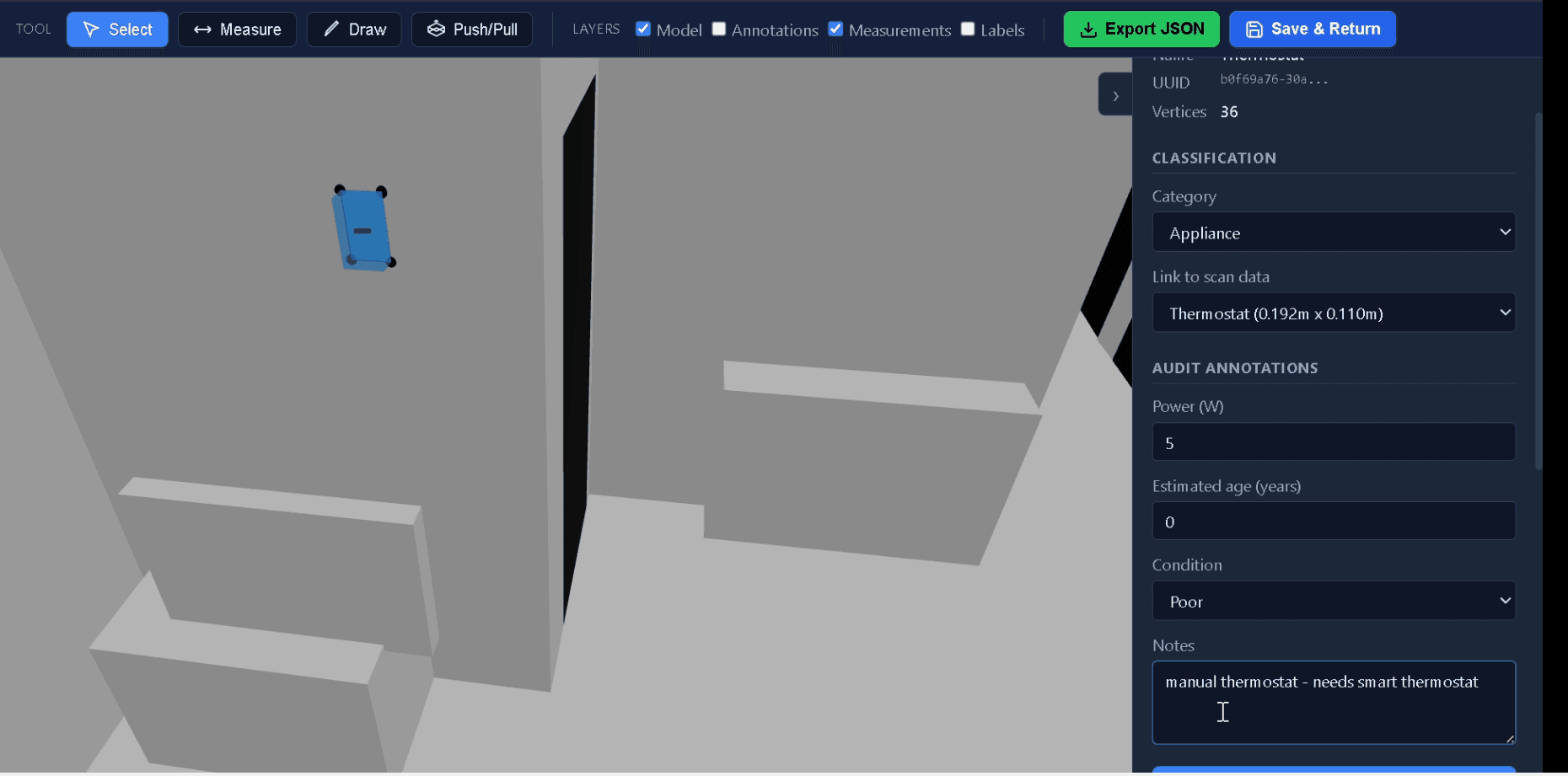
Small elements like thermostats must often be added or properly classified within the 3D model.
2. Occluded Areas Create Gaps
Furniture, lighting conditions, and limited scanning angles can cause incomplete geometry. For example:
- Windows partially hidden by curtains
- Doors captured incorrectly
- Closets and utility spaces missing entirely
3. Irregular Building Details Get Lost
Many homes contain unique features that LiDAR simply cannot interpret properly. Examples include:
- Custom chimney shapes
- Mechanical equipment placements
- Complex wall features
Without these details, the building model becomes incomplete.
The Result: Auditors Still Have to Manually Fix the Model
Most auditors end up doing extra work after the scan:
- Correcting missing geometry
- Marking HVAC locations
- Manually adding appliances
- Sketching missing building components
Unfortunately, many workflows require exporting models into heavy CAD tools or spreadsheets, which slows the entire audit process. This is exactly the bottleneck we wanted to eliminate.
Introducing the EI Inbuilt CAD Tool for Energy Auditors
To solve this real-world problem, we built something specifically for auditors.
Energy Intelligence now includes a lightweight inbuilt CAD tool designed specifically for home energy auditing workflows. Instead of forcing auditors to switch between multiple software tools, they can now complete the entire building model inside the audit platform.
Designed Specifically for Energy Auditing
Unlike traditional CAD software, the EI CAD tool is purpose-built for the components that matter during an energy audit. Auditors can easily map:
Building Components
- Doors and Windows
- Closets
- Walls and partitions
- Attic and basement features
Mechanical Systems
- HVAC units
- Thermostats
- Vents and ducts
- Water heaters
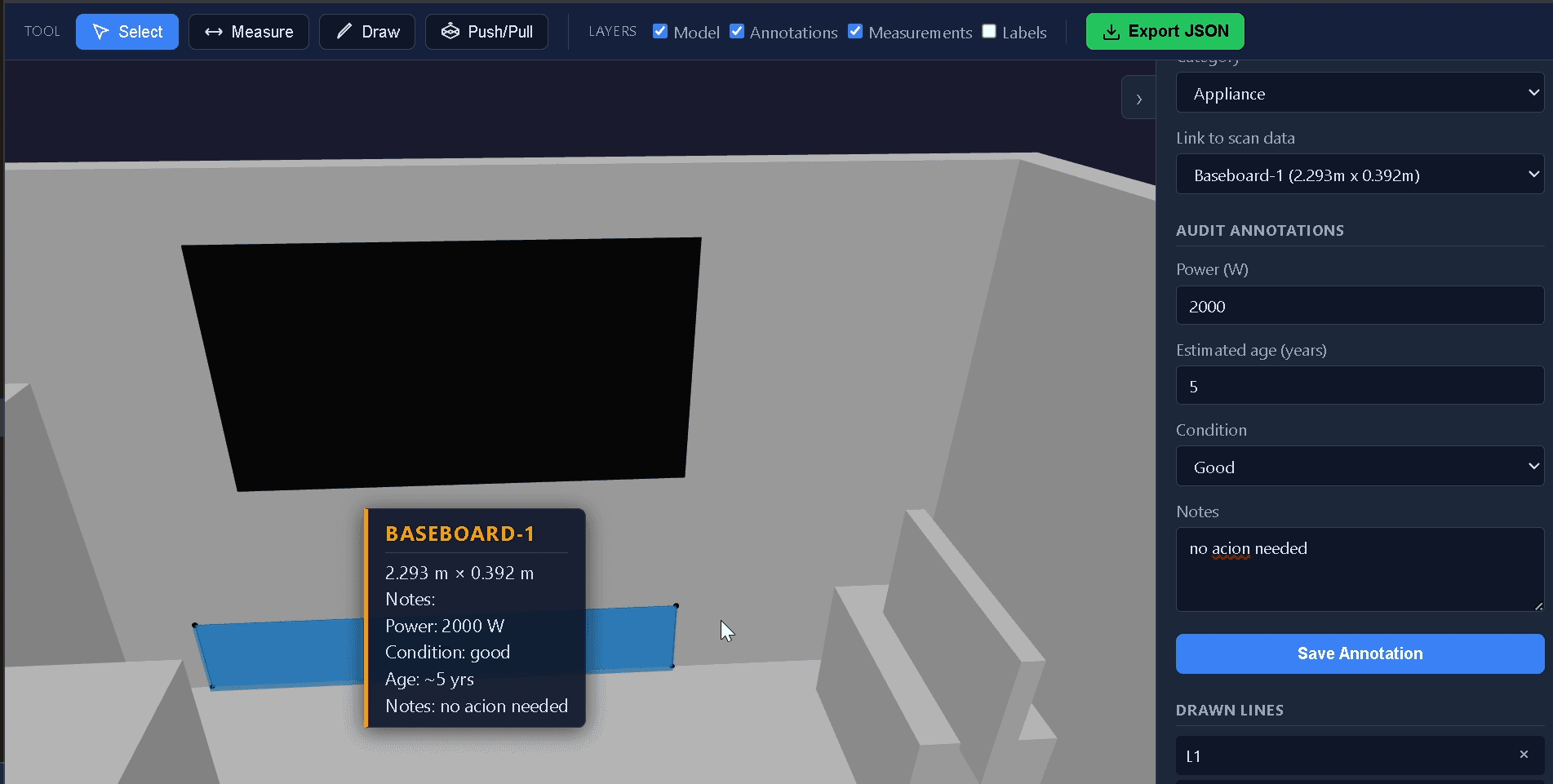
Accurately mark mechanical systems like baseboard heaters, tracking power output, estimated age, and condition.
Custom Appliances
Auditors can also draw custom elements like:
- Chimneys
- Specialty equipment
- Retrofit installations
- Unique building features not captured by LiDAR
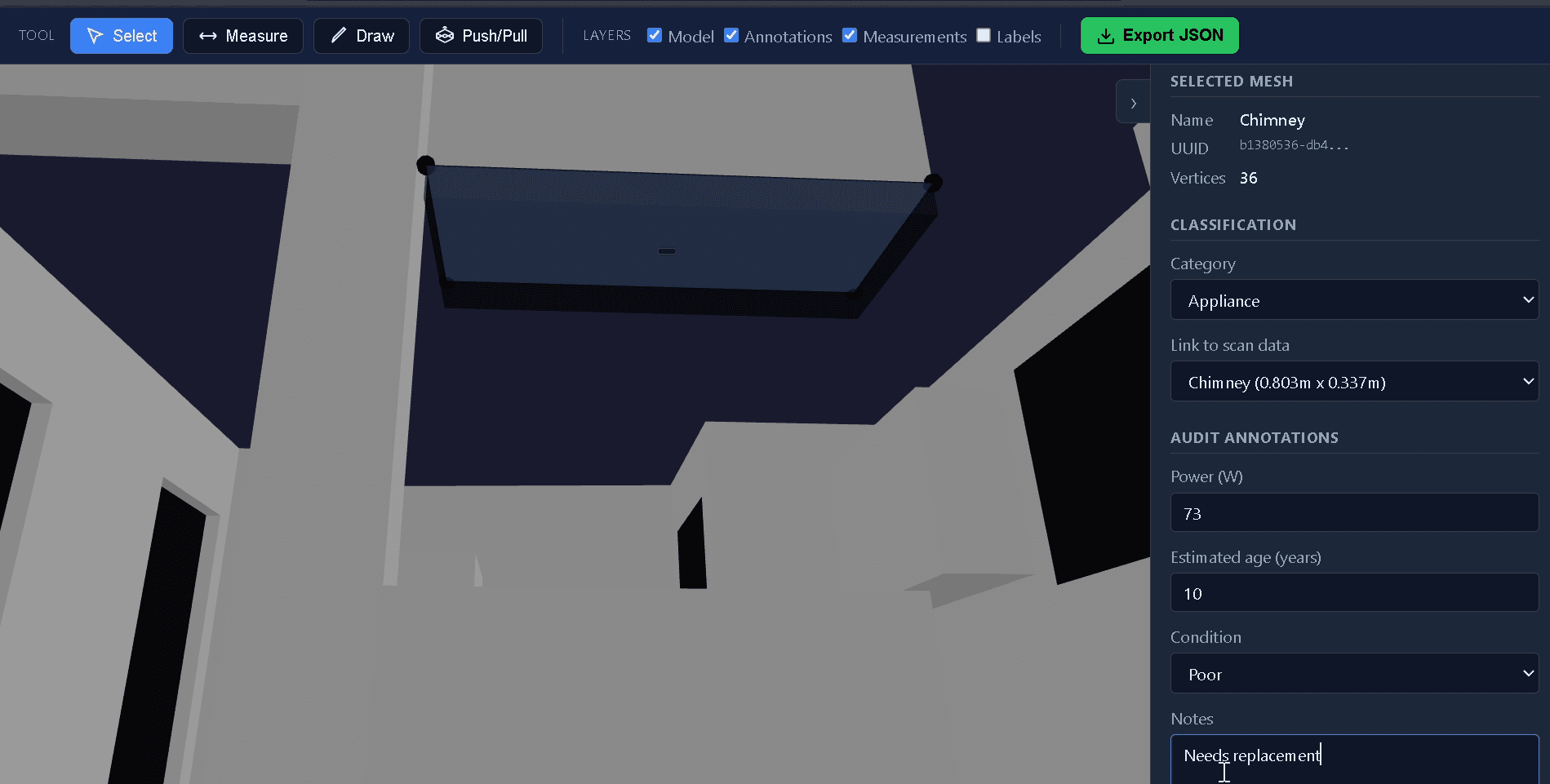
Custom features like chimneys can be easily mapped out when LiDAR misses their complex structures.
This ensures the building model reflects what actually exists in the home, not just what the scanner captured.
Lightweight, Fast, and Built for Field Work
Traditional CAD tools are powerful but often too heavy for field workflows. Energy auditors don't need the complexity of architectural CAD systems. They need tools that are:
- ✅ Fast
- ✅ Simple
- ✅ Purpose-built
The EI CAD tool focuses on exactly that. Auditors can quickly adjust the model during or after scanning without interrupting their workflow.
Turning Imperfect Scans into Accurate Building Models
The goal isn't to replace LiDAR scanning. LiDAR is still an extremely valuable tool for capturing building geometry quickly. But real-world audits require something more: The ability to refine, correct, and complete the building model.
With the EI CAD tool, auditors can turn imperfect scans into accurate digital representations of the home, ensuring that retrofit analysis and energy calculations are based on complete information.
The Future of Energy Auditing Workflows
As the demand for residential retrofits grows, audit workflows need to become faster and more reliable. That means combining the strengths of:
- LiDAR scanning
- Smart modeling tools
- Auditor-friendly software
By integrating CAD capabilities directly into the audit platform, Energy Intelligence helps auditors spend less time fixing models and more time delivering actionable retrofit insights.
Final Thoughts
LiDAR scanning is a powerful technology, but it isn't perfect. The reality is that every scan needs refinement.
That's why we built the EI CAD tool — a lightweight, auditor-friendly solution that helps complete the picture when LiDAR scans fall short.
Because better building models lead to better retrofit decisions and more effective energy efficiency programs.
Ready to Modernize Your Audit Workflow?
See how Energy Intelligence can help your organization deliver faster, smarter energy assessments at scale.
Book a Demo